macOS 14+
The market,
on your desktop.
Put prices, charts, and upcoming events right on your Mac wallpaper. Close the editor and get back to work with your widgets in view.
Close the editor. Your widgets stay.
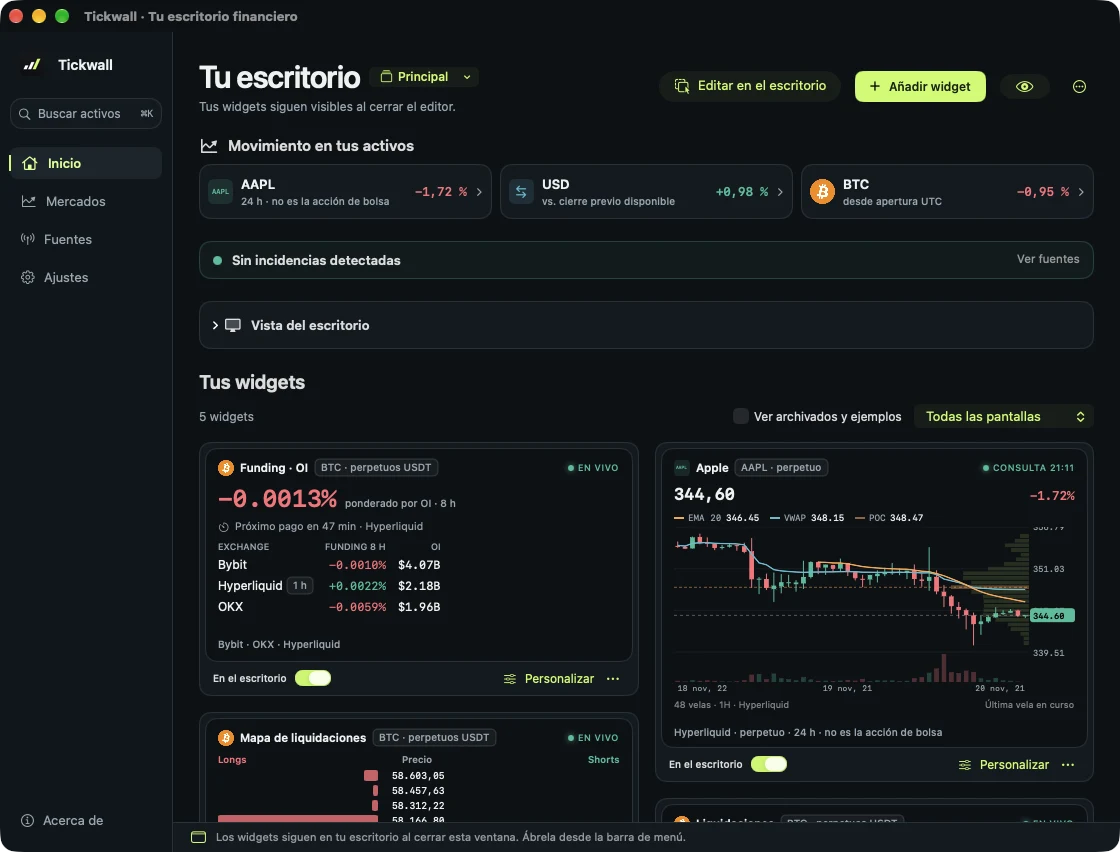
Set it up on your Mac.
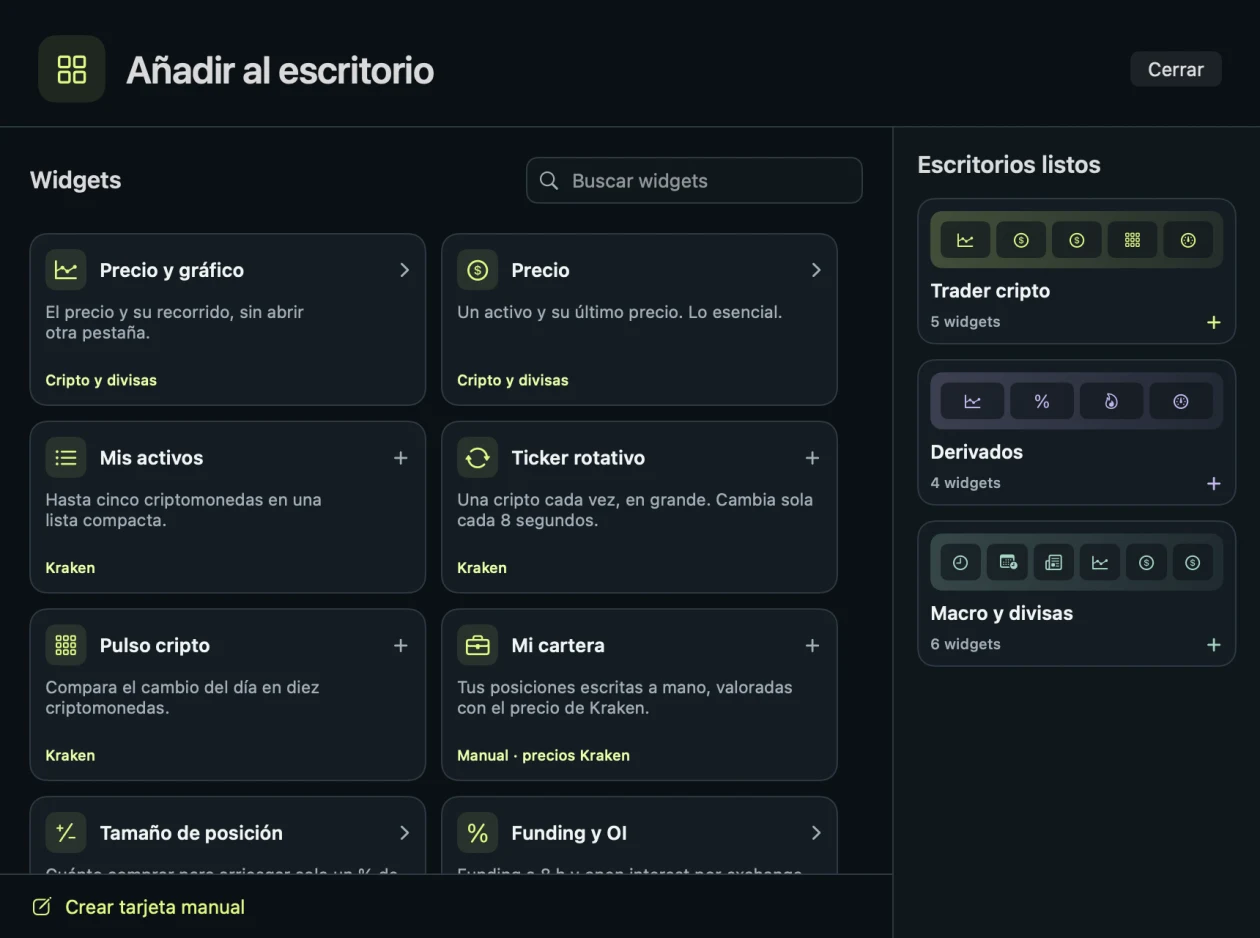
Pick a widget or start with a ready-made desktop. Move and resize each card directly on your wallpaper.
Live · Kraken
Live wallpaper
The finance and crypto wallpaper that updates itself.
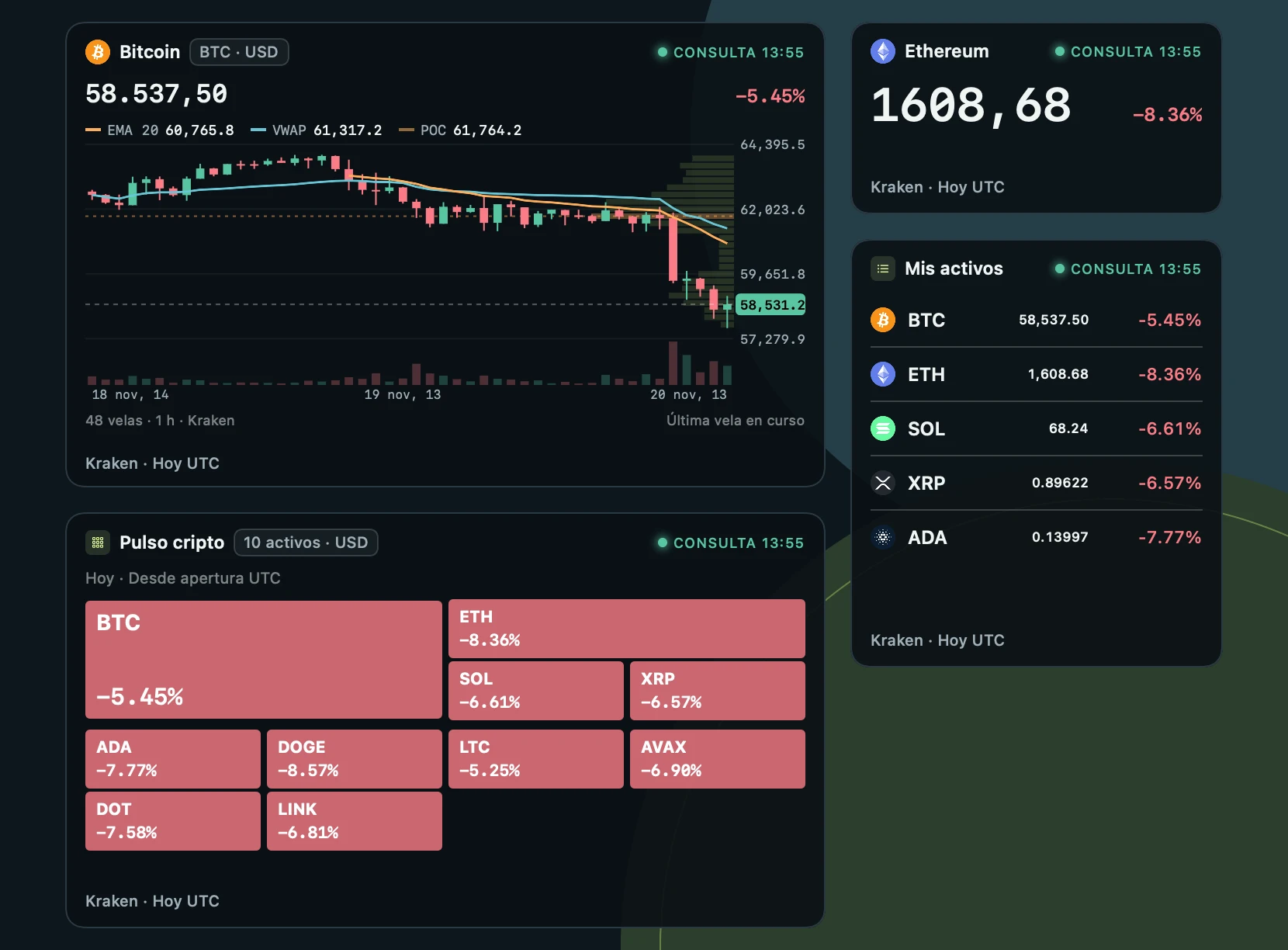
A normal wallpaper is a picture. Tickwall puts real data on top of yours: it changes every few seconds and never covers your windows.
Crypto wallpaper
Bitcoin, Ethereum, Solana and 7 more coins with price, 1 h candles and the day’s change, in USD or EUR.
Trader wallpaper
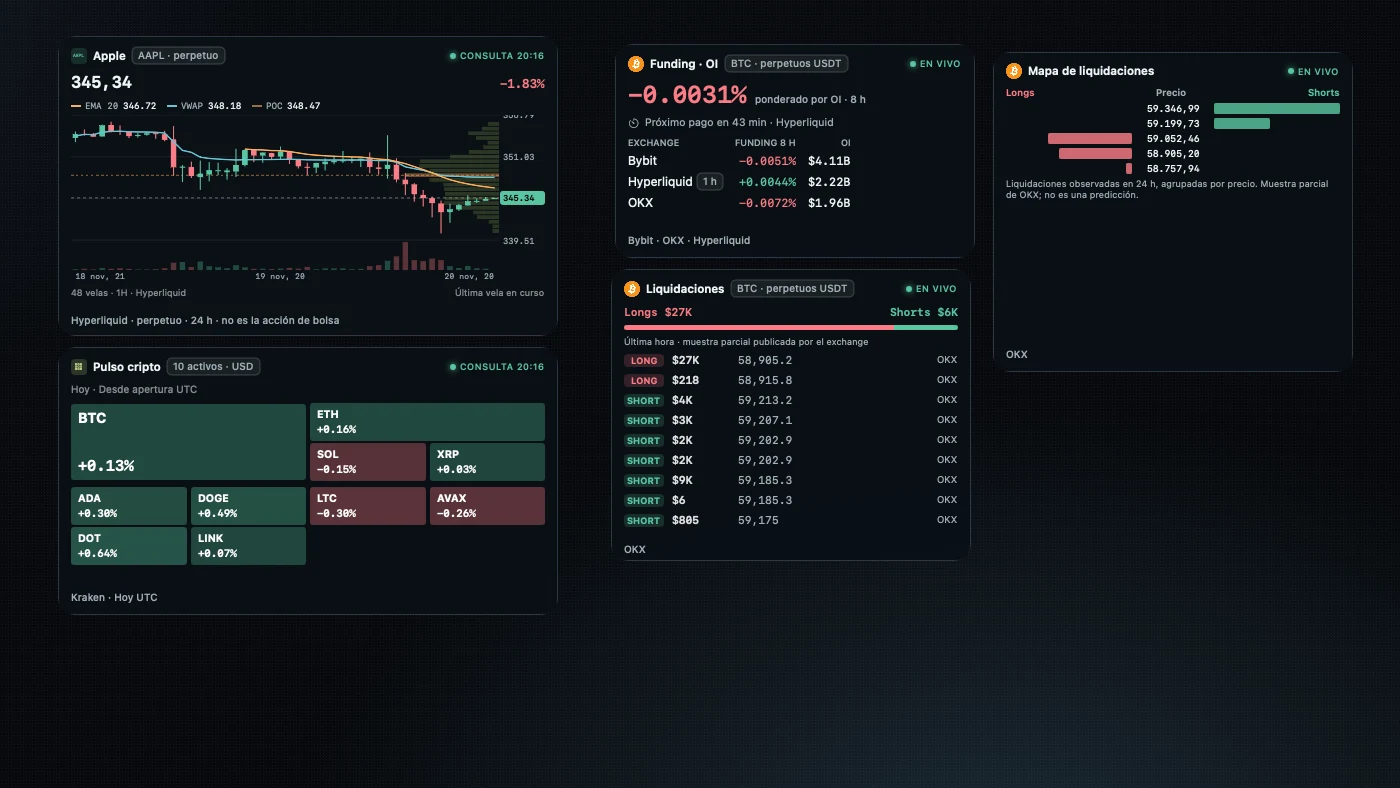
Funding, open interest, liquidations and Fear & Greed from Bybit, OKX and Hyperliquid, always in view.
Finance wallpaper
The official US economic calendar, world market hours, ECB exchange rates and tokenized stocks.
Why widgets
The market on your other monitor. No tab open.
You work on one screen and watch the market on the other. The cards live on the wallpaper: no browser behind them, they never cover your windows and clicks go through to the desktop.
 Tickwall
Measured usage · Apple M5 · 60 s
One BTC chart in a tab: browser, web engine and rendering · CPU 25 %
 Tickwall with 5 widgets106 MB
Native app · repaints at most every 2 s · CPU 2.7 %
macOS physical memory and average CPU over 60 s. Chrome without a window and with software rendering, which can raise its CPU; with a window it usually uses more memory.
Always in view
Price, funding and the calendar on your second monitor, without switching tabs.
Barely uses anything
About 5 times less memory than a TradingView tab, and 2.7 % CPU.
Never in the way
Cards sit behind your windows and clicks go through to the desktop.
Widgets
Frequently asked questions
Is the data real time?
Crypto prices are checked every 15 seconds and candles are 1 hour. It is built to keep context in view; it does not replace the platform where you place orders.
Can it trade or send orders?
No. Tickwall only displays information. It does not connect to your exchange or broker and never sends orders.
Does it include stocks?
Yes, with no account or key: Apple, NVIDIA, Tesla, Microsoft, the S&P 500 through SPYx and more, as Hyperliquid perpetuals and Kraken tokens. They track the share price, can differ from the exchange by a few cents and also trade at night and at weekends. Every card says so.
Which Mac do I need?
A Mac running macOS 14 Sonoma or later. Multiple displays are supported.
Try Tickwall on your Mac.
Sign up and we will send you the Mac beta before launch. We only use your email to tell you about Tickwall.